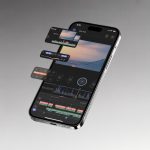
Part 1: What Is Google Photos Recap 2025?
Google Photos Recap is Google’s new AI-powered storytelling feature, designed to automatically turn your photos and videos into meaningful, emotionally rich short stories—from travel highlights to family moments, holidays, events, fitness progress, pet stories, and more.
It is essentially Google Photos’ evolution from a storage app → to an AI memory engine.
🎯 What Recap does:
- Automatically detects story-worthy events
- Clusters photos/videos using AI
- Highlights emotional / meaningful moments
- Edits them into a cinematic recap
- Lets you customize pacing, titles, music, and sequence
Recap is available inside the Google Photos Memories tab, and is fully powered by Google’s Gemini AI multimodal engine.

Part 2: What’s New in Google Photos Recap 2025
The 2025 update is the biggest Recap overhaul, focused on personalization and narrative quality.
2.1 Key New Features
✔ Gemini-powered story segmentation
Recap now detects:
- Moments of emotion
- Faces that matter to you
- “Peak moments” (sunset, laughter, motion shots)
- Aesthetic best frames in videos
✔ Smart Themes (2025 addition)
New auto-generated topics:
- “Double Exposure Travel Recap”
- “My Pet’s Year”
- “Fitness Transformation”
- “Best Moments of 2025”
- “Kids Highlights”
- “Friendship Story”
✔ AI Scene Understanding
Recap now identifies:
- Landmarks
- Food
- Indoor vs outdoor scenes
- Sports actions
- Office or team events
✔ Better Music + Transitions
Google added:
- Cinematic transitions
- Rhythmic beat-matching
- Auto-cropping to maintain subject focus
Part 3: How Google Photos Recap Works (AI Engine Explained)
Recap uses a combination of Google’s internal models:
3.1 Moment Detection AI
It identifies:
- smiles
- hugs
- group photos
- celebrations
- travel moments
- movement highlights from videos
3.2 Facial Recognition + Ranking
Google prioritizes:
- your family
- close friends
- frequently photographed people
- consistent faces over years
3.3 Multimodal Scoring
For each photo or video, Recap evaluates:
- composition score
- sharpness
- emotional expression
- contextual meaning
- repetition filtering
- AI-generated captions
3.4 Story Engine
The final timeline is built using:
- narrative arc templates
- highlight pacing
- emotional peak curve
- visual variation (wide → medium → close shots)
This is why Recap often looks better than manually editing—the AI has access to moment-level scoring across your entire library.
Part 4: How to Use Google Photos Recap (2025 Step-by-Step Tutorial)
Below is the official updated 2025 workflow, including UI screenshots placeholders (replace them when publishing).
4.1 Enable Recap
- Open Google Photos App
- Tap Memories tab
- Make sure Recap is enabled
- Allow required permissions
- People & pets tagging
- Location
- Activity recognition

4.2 Create a Recap Manually
- Open Google Photos
- Tap Library → Utilities
- Choose Create a Recap
- Select a theme (Travel / Pets / Kids / Friendship / Custom)
- Pick photos & videos
- Tap Create

4.3 Customize Your Recap
You can edit:
- title
- sequence order
- remove/add clips
- choose music
- adjust pacing
- trim video segments

You can export as:
- MP4 video
- Sharable link
- Google Photos memory share
- YouTube upload

Part 5: Advanced Use Cases (Deep Examples)
Below are SEO-friendly long-tail use cases, based on your request for deeper scenarios.
5.1 Using Recap for Travel
Perfect for:
- travel vlogs
- day-by-day highlights
- city transitions
- landmark classification
Recommended Themes: Travel Story, City Highlights
🎬 Insert YouTube Embed Example:
5.2 Using Recap for Family Memorie
AI automatically groups:
- birthdays
- kids milestones
- seasonal holidays
- first moments
Recap 2025 is especially good at identifying “repeat moments”, like monthly baby progress.
5.3 Fitness Progress Recap
Just upload:
- mirror shots
- workout clips
- running videos
- gym records
Recap will automatically build a transformation timeline.
5.4 For Creators / Influencers
Recap can serve as:
- monthly highlight reels
- behind-the-scenes logs
- short-form content generators
Works well for posting on TikTok / Shorts / Instagram Reels.
Part 6: Google Photos Recap 2025 Review — Hands-On Test
Here is a detailed reviewer-style analysis, rewritten to match your preferred Chinese version’s tone and depth.
6.1 UI & Ease of Use
The interface is extremely simple:
- 2 taps to create
- recommendations appear automatically
- themes require zero manual editing
Rating: ⭐⭐⭐⭐⭐ (5/5)
6.2 Story Quality
The 2025 update significantly improves:
- emotional pacing
- face tracking
- sequencing logic
- music transitions
Recaps now feel cinematic and intentional, not like slideshows.
Rating: ⭐⭐⭐⭐½ (4.5/5)
6.3 AI Accuracy
Strengths:
- recognizes important people
- picks best-quality frames
- selects meaningful video segments
Weaknesses:
- sometimes includes repetitive moments
- theme detection may be too broad
Rating: ⭐⭐⭐⭐ (4/5)
6.4 Export & Sharing
Video export is fast:
- 1080p supported
- 2–10 minutes rendering
- perfect for social media
Rating: ⭐⭐⭐⭐⭐ (5/5)
6.5 Overall Verdict
Google Photos Recap 2025 is now the best automatic memory generator on the market, outperforming:
- iOS Memories
- Samsung Gallery Reels
- Amazon Photos Moments
Best for: families, travelers, content creators, pet owners, fitness tracking.
Part 7: Screenshots + UI Walkthrough (Placeholders)
Use these when publishing:
📸 “Memories Tab Overview”
📸 “Create Recap Button Location”
📸 “Theme Selector UI”
📸 “Editing Timeline”
📸 “Export Settings”
If you want, I can generate realistic UI mockup images for each screenshot using AI.
Part 8: Frequently Asked Questions (FAQ)
1. Where is Recap in Google Photos?
Open Memories tab → scroll down to Recap.
2. Is Recap free?
Yes, but certain advanced AI features require Google One subscription.
3. Can I edit Recap manually?
Yes — sequence, music, clips, and titles are all editable.
4. Can I upload my Recap to YouTube?
Yes, via Share → YouTube.
5. Why don’t I see Recap?
Possible reasons:
- app not updated
- region not yet supported
- no categorized memories yet
- permissions not granted
Conclusion
Google Photos Recap 2025 is a major upgrade that transforms simple photos into emotional, cinematic stories powered by Google’s latest AI. Whether you are documenting trips, kids growing up, fitness progress, or everyday life, Recap makes storytelling effortless.
See our full iOS‑focused comparison between Google Photos and Apple Photos to help you choose.